Recruiting CRM for Small UK Agencies: The Complete Guide (2026)
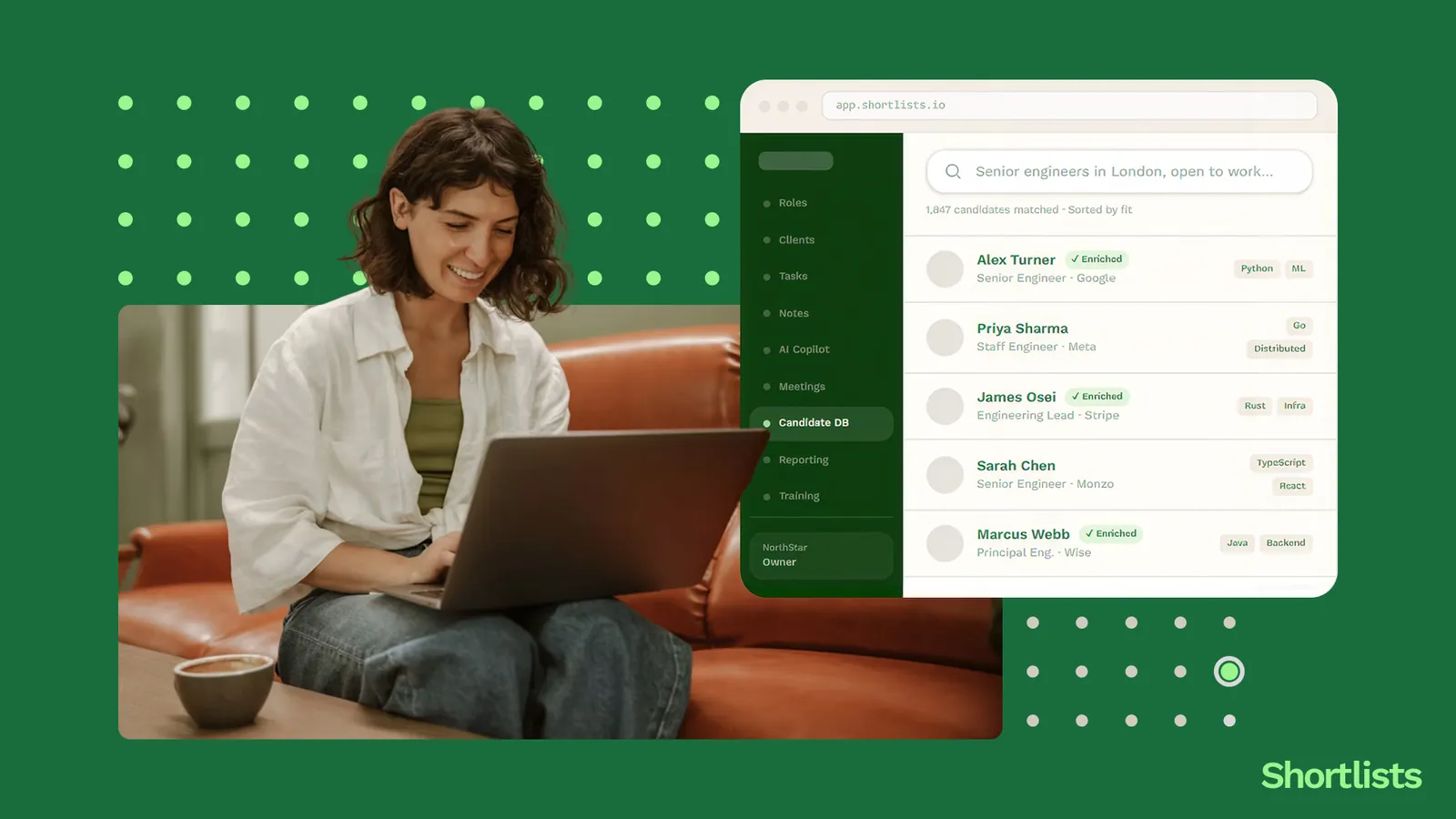
There are around 26,000 recruitment agencies operating in the UK. Roughly seven in ten are under ten people. Almost none of the recruiting CRM guides online are written for them.
This guide is. It's written for the founder-led 2–10 person UK agency that's either outgrown spreadsheets or is paying enterprise prices for software that was never built for a team this size. We'll cover what a real recruiting CRM does, the features that matter (and the ones that don't), UK-specific GDPR concerns, why AI-native architecture changes the pricing maths, and how to switch without losing your data.
Short answer up top: the best recruiting CRM for a small UK agency in 2026 is one that combines ATS, CRM, BD intelligence and AI in a single platform, prices in £, doesn't require an annual contract, and hosts your data in the UK or EU. Shortlists is one of the few platforms designed for that exact set of constraints. Bullhorn and Vincere are excellent at enterprise scale but rarely fit below ten users. Loxo is closer in spirit but priced for larger teams.
We'll get into the detail. Read the section that matches where you are.
What a recruiting CRM actually is (and what it isn't)
Most "recruiting CRM" definitions online are vague enough to mean anything. Here's a useful one:
A recruiting CRM is the single system of record for the four pipelines a recruitment agency runs: clients, candidates, jobs, and business development signals. It tracks every person and every company you've ever spoken to, every role you've ever filled, and every reason you didn't fill the rest. It connects email, calendar and LinkedIn. It tells you what to do next.
A spreadsheet does some of that. An ATS does some of that. A frankenstack of six tools wired together with Zapier does most of it, badly. A real recruiting CRM does all of it in one place.
CRM vs ATS — most small agencies don't need both
This is the question we get most often, so let's settle it.
An ATS (Applicant Tracking System) is built to manage candidates flowing into a role. Applications, screening, stages, hire. It's job-centric.
A CRM (Customer Relationship Management) in recruitment is built to manage the long arc of relationships with clients and candidates. It's relationship-centric.
Enterprise agencies often run both, plus a BI tool, plus an outreach tool, plus a notetaker. That's because at 50+ users, the specialisation pays off. At 5 users, it just creates four logins and four invoices to manage. A small agency needs one tool that does both jobs well — which is what people now mean when they say "recruiting CRM" without the ATS suffix. For a longer treatment of the difference between a CRM and an ATS, see the cluster article.
The four jobs a real recruiting CRM does
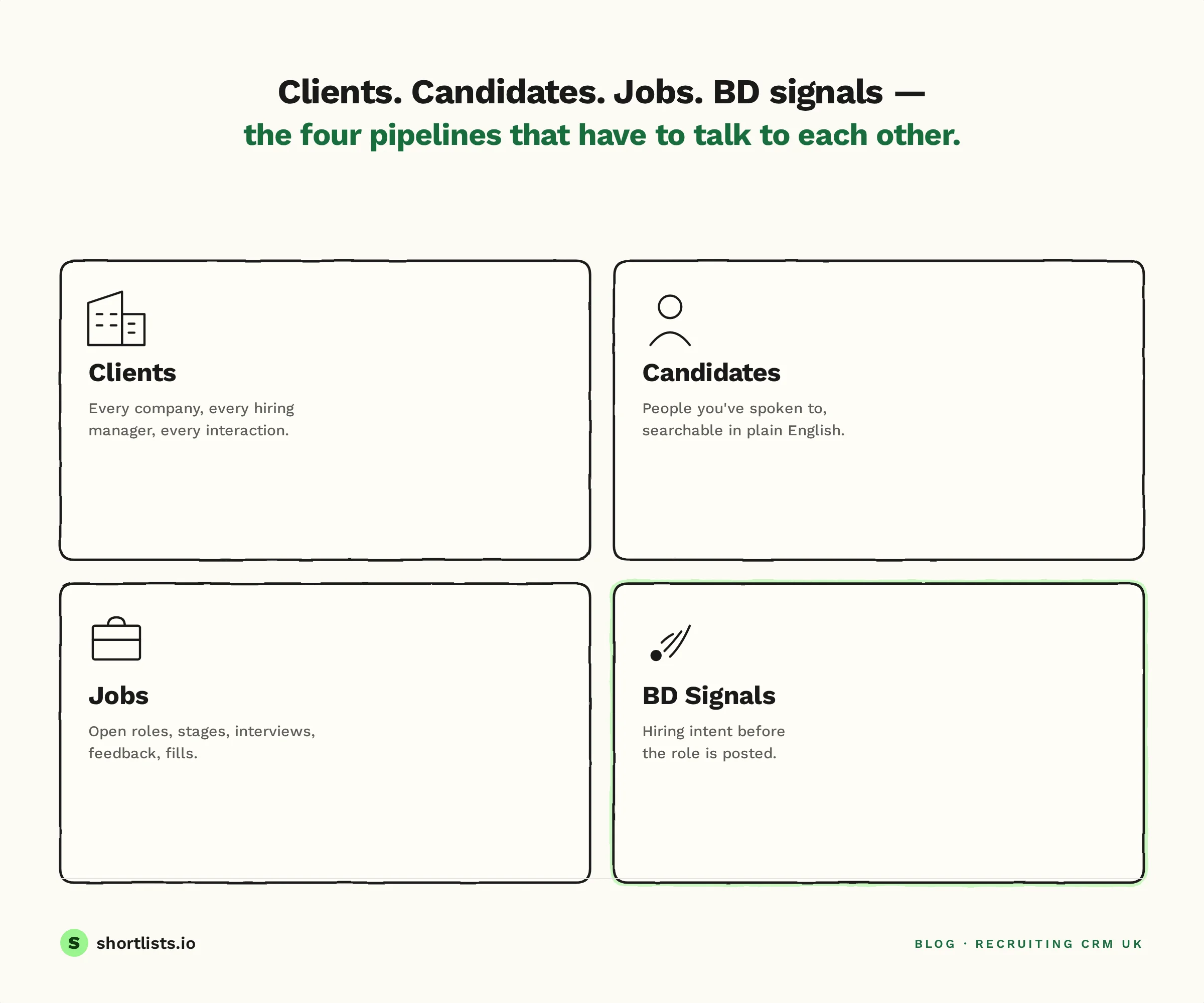
Strip the marketing language away and a recruiting CRM does four things:
- Manage clients. Companies, hiring managers, history of every interaction, who introduced you to whom, what their fees look like, who owes you money.
- Manage candidates. People, their history with you, their availability, their preferences, their last conversation. Searchable in plain English, not 14-line Boolean strings.
- Manage jobs. Open roles, stages, interviews, feedback, fills.
- Manage business development. Hiring signals before the role is posted, target lists, daily prospect routines, outreach.
A small agency CRM has to do all four. If a tool is great at three and patchy at one, that one becomes the spreadsheet you swore you'd retired.
What spreadsheets stop doing well at around £500k/year billings
Almost every UK recruitment agency starts in a spreadsheet. That's fine. The problem isn't spreadsheets — it's that around the £500k/year billings mark, spreadsheets start to cost you placements rather than just time.
The signs:
- You can't remember whether you spoke to a candidate six months ago, so you reach out twice.
- A client mentions an interaction with one of your colleagues and you can't find a record of it.
- You're losing two hours a day to context-switching between LinkedIn, Gmail, the spreadsheet and the notes file.
- You've started a "follow-ups" tab that has 87 rows and you haven't looked at it in three weeks.
- Your weekly Monday morning isn't "what should I work on?" — it's "where did I leave off on Friday?"
If two of those describe you, you're past the point where the spreadsheet is helping.
Why 2–10 person UK agencies need a different shape of tool
Most recruiting CRMs in the UK market today were designed for a different customer: the 50+ user agency that needs deep configurability, complex compliance workflows, custom permissioning, and an integrations marketplace. Those tools then get sold to 5-person agencies with promises of "scalability."
What actually happens: the small agency pays 80% of the price for 20% of the value, and the configuration overhead of an enterprise tool eats the time it was supposed to save.
The enterprise feature trap — 25 features sold, 5 used
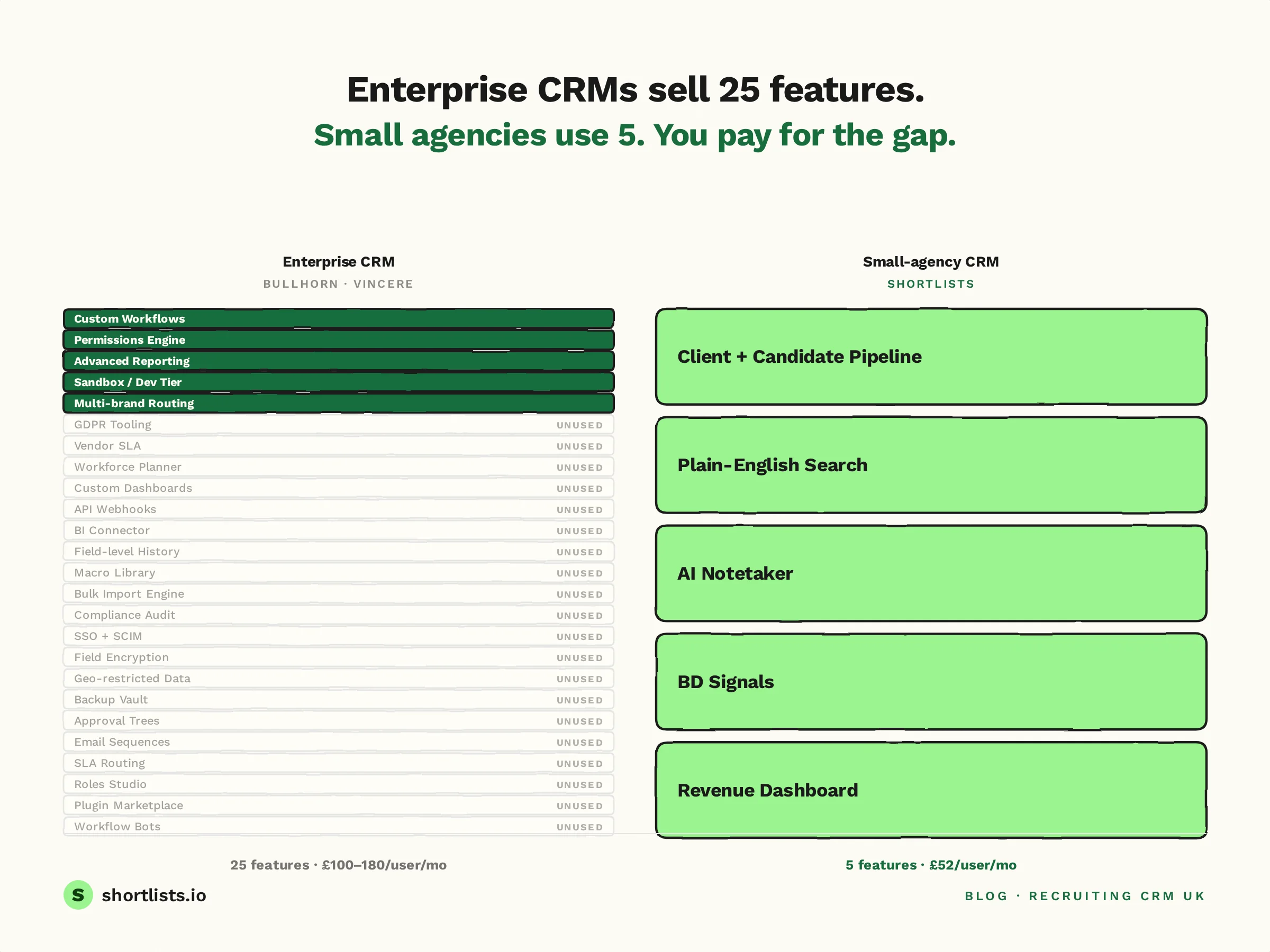
An enterprise recruiting platform's feature list typically runs to 25–40 distinct modules. A 5-person agency uses 5–8 of them. The rest are sold-in but never adopted.
The problem with that gap isn't only the wasted licence cost. It's that the UI, onboarding, permissions, and support model all assume someone will use those features. So your team gets trained on 25 things to use 5. Your dashboards default to enterprise views. Your support contact is shared with 200-user customers.
A platform built for small agencies starts with the 5–8 features that matter and makes them excellent. That's a different product, not a smaller version of the same one.
The frankenstack problem — 6 tools, 5 logins, 4 invoices
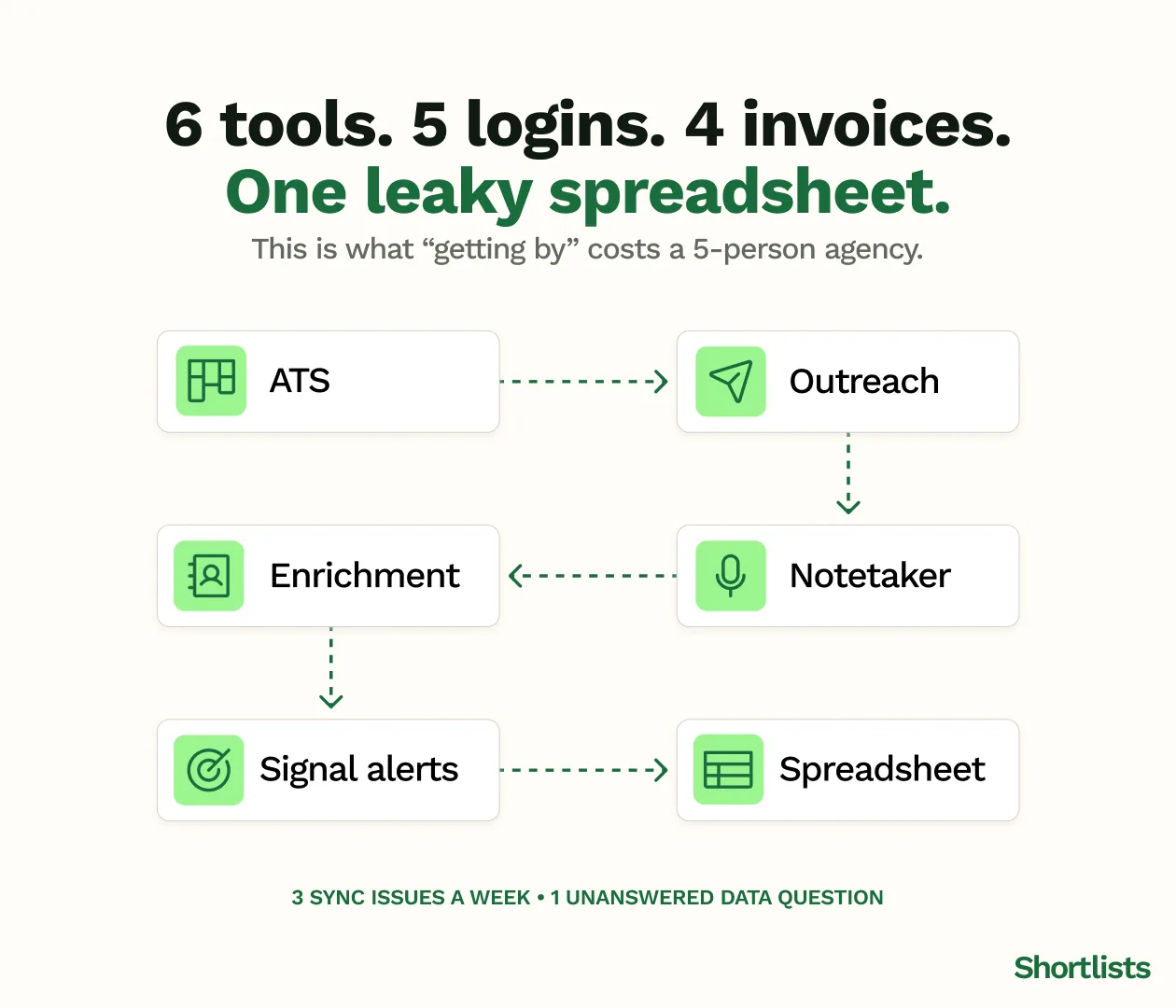
The alternative most small UK agencies stumble into is what we call the frankenstack:
- An ATS or basic CRM (Bullhorn, Vincere, or sometimes HubSpot adapted)
- A separate outreach tool (Paiger, Lemlist)
- A separate notetaker (Otter, Fireflies, Metaview)
- A separate enrichment tool (Apollo, Lusha)
- A separate signal tool (Crunchbase alerts, Beauhurst)
- A spreadsheet or two for the bits nothing else handles
Six tools, five logins, four invoices, three sync issues per week, and one data residency question nobody wants to answer.
The frankenstack costs more than an all-in-one platform once you add the licences, the integration time, and the hours per week lost to context-switching. It also produces worse data, because the integrations always leak something — usually the field that matters most.
What small UK agencies actually need — the 5-feature checklist
If you only evaluate a recruiting CRM on five things, evaluate it on these:
- A single client + candidate + jobs pipeline. Not three tools wired together.
- AI candidate search in plain English. No Boolean. No "first_name:John AND skills:Java" gymnastics.
- An AI notetaker built for recruiter conversations. Not a general transcription tool repurposed.
- A BD signal layer. Funding rounds, executive hires, senior leavers — pulled in and routed to your daily task list.
- A revenue dashboard. What's the desk worth? What's in pipeline? What's about to fall over?
If all five are included as standard — not paid add-ons — you're looking at a platform built for small UK agencies, not enterprise scaled down.
The features that matter (and the ones that don't)
There are roughly 30 features the average recruiting CRM advertises. Here are the ones that move placements and revenue, grouped by job.
Clients pipeline + BD signal layer
The clients pipeline should track every company, every hiring manager, every interaction. The BD signal layer should surface hiring intent before roles are posted: funding rounds, executive moves, senior departures, adjacent role posting volume. This is what we call BD Radar — and it's the single largest source of new client wins for small UK agencies in 2026.
Candidates pipeline + AI matching
Candidate management without Boolean. You should be able to type "senior backend engineer based in Manchester, open to remote, has worked at a fintech, wants more than £85k" and get a ranked list. Behind the scenes that's vector search and AI matching. To the recruiter, it should just feel like asking a knowledgeable colleague.
Jobs board + client portal
Open roles, stages, interviews, feedback, fills. Plus a client portal — a single link your client can open to see candidate status, leave feedback and approve shortlists. That portal replaces roughly 14 status-update emails per role.
AI notetaker + revenue dashboard
The notetaker should run inside Zoom, Teams and Google Meet — and capture phone calls. The transcript should land in the candidate or client record automatically. The revenue dashboard should show what your desk is worth: this month, this quarter, in pipeline, at risk, won, lost.
Integrations: LinkedIn, Gmail, Outlook, Folk
The three integrations that save 90 minutes a day for most UK recruiters: LinkedIn (via Chrome extension for one-click candidate import), Gmail or Outlook (for two-way sync and automatic conversation logging), and your outreach tool (Folk, HeyReach or built-in). Everything else is a nice-to-have.
How to evaluate a recruiting CRM in 8 questions
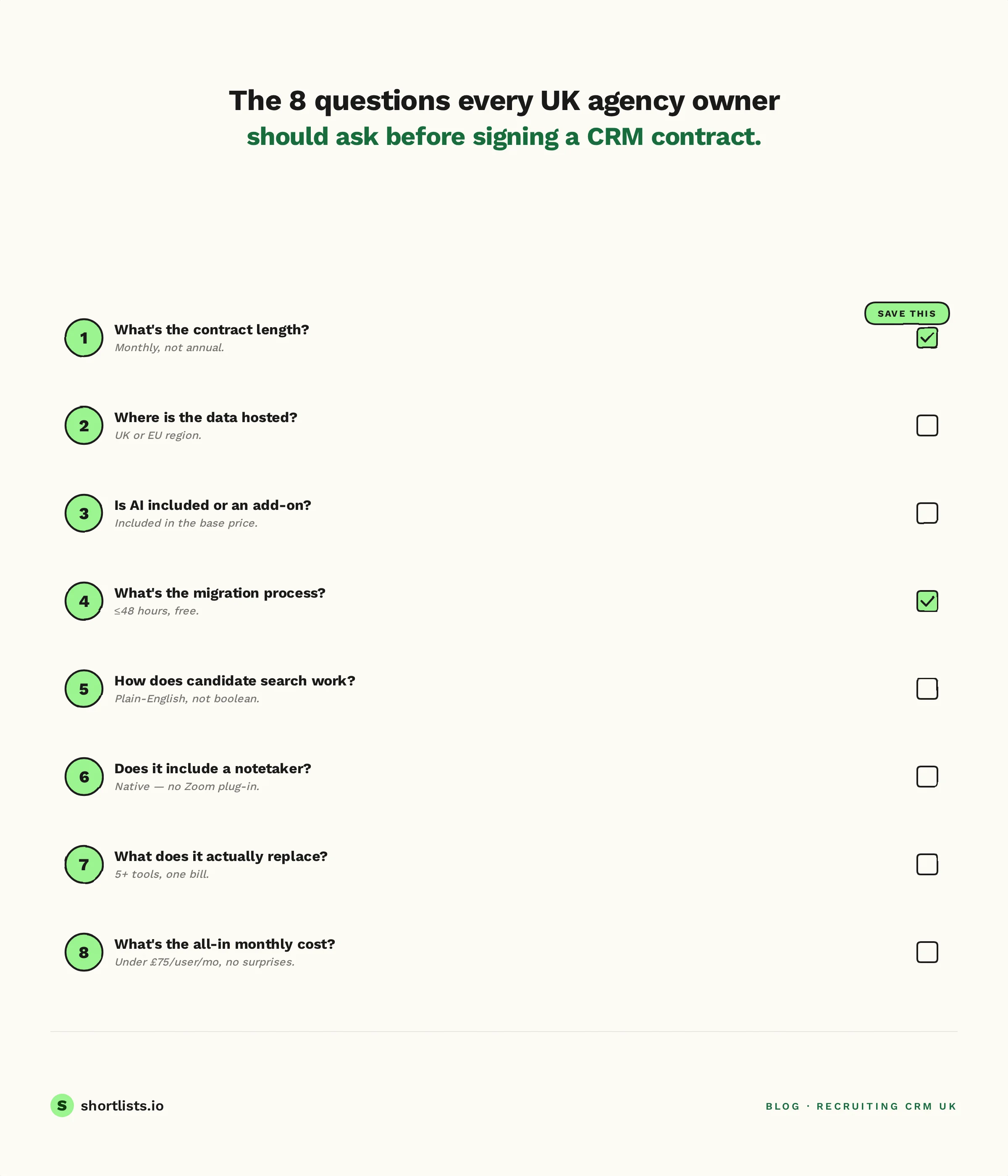
These are the questions every UK agency owner should ask before signing. The "what good looks like" answer is for a small UK agency in 2026.
-
What's the contract length? Good: month-to-month, no minimum. Bad: 12-month minimum, auto-renew clauses.
-
Where is the data hosted? Good: UK or EU only, with documentation. Bad: "global" or "AWS" with no specifics.
-
Is AI included or an add-on? Good: included in the standard price. Bad: "Premium AI" tier at £20–40/user/month extra.
-
What's the migration process if I switch from Bullhorn / Vincere / Firefish / Loxo / Atlas? Good: free white-glove migration with sandbox testing and overnight cutover. Bad: "we can recommend a partner" — i.e. a £5k+ third party.
-
How does candidate search work? Good: plain English, AI-powered, returns ranked results in under 2 seconds. Bad: Boolean strings or filter-builder UIs that take 5 minutes to set up.
-
Does it include a notetaker? Good: built-in for Zoom, Teams, Meet, and phone. Bad: "you'll need Otter or Fireflies, here's the integration."
-
What does it actually replace? Good: ATS, CRM, BD prospecting tool, notetaker, outreach tool, enrichment, dashboard. Bad: just the ATS (and you keep the other five tools).
-
What's the all-in monthly cost for a 5-person agency? Good: a number you can read off a single page in £, including AI and integrations. Bad: a quote you get only after a 45-minute discovery call.
If a vendor can't answer all eight in a single demo, that's the answer.
UK-specific concerns: GDPR, EU hosting, contracts
UK recruitment agencies have three concerns that US-built tools often handle badly.
UK GDPR for recruiters — 6 things your CRM must do
UK GDPR (post-Data Protection Act 2018, post-Brexit) doesn't go away because the platform is in the cloud. The six things a recruiting CRM must support:
- A lawful basis for processing candidate data — usually legitimate interest, with a documented assessment.
- A clear retention policy — most UK agencies set 24–36 months for unsuccessful candidates.
- Subject access requests handled in 30 days — your CRM should let you export a candidate's full record in one click.
- The right to erasure — your CRM must be able to fully delete a candidate's record (not just anonymise).
- Data hosted in the UK or EU — or have appropriate transfer safeguards documented.
- A processor agreement (DPA) with the vendor — signed before you put live data in.
For the detailed UK guide, see UK GDPR for recruiters.
Why annual contracts are a category warning sign
Most legacy recruitment platforms require annual contracts. The pitch is "we're a long-term partner." The reality is that annual contracts protect the vendor from the consequences of their own product roadmap. If you signed in January for a tool that loses its best feature in March, you're paying for nine months you don't want.
A vendor confident in their product offers month-to-month. The customers stay because the product works, not because they're locked in.
What "no annual contract" actually means in practice
When Shortlists says no annual contract, it means:
- Monthly billing in £.
- Cancel any month with no exit fee.
- Add or remove users any month.
- Take your data with you on the way out — full export, in standard formats.
That's what no lock-in actually looks like. Anything less and the small print needs reading.
How AI-native CRMs are different (and why it matters for pricing)
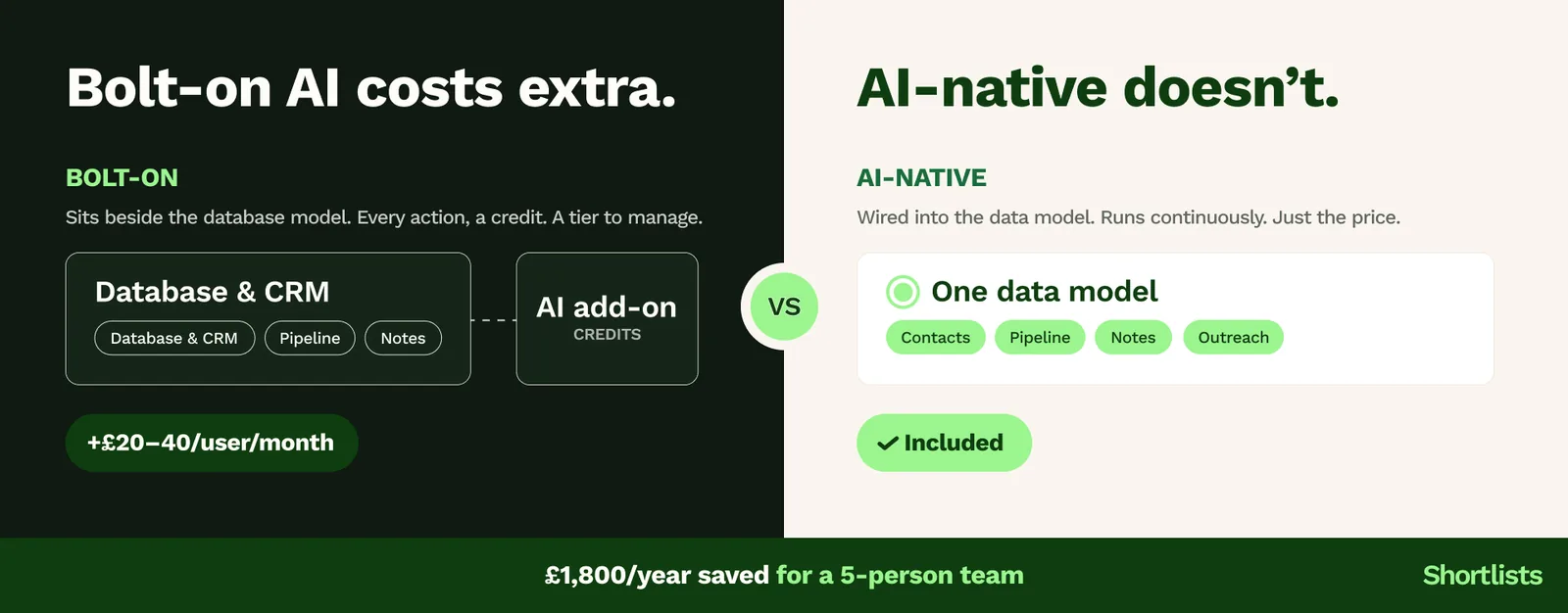
There's a clean fork in the recruiting CRM market right now. On one side: platforms built before the AI shift, retrofitting AI as a paid bolt-on. On the other: platforms built AI-native from the ground up.
AI-native vs AI bolt-on — the architecture difference
Bolt-on AI sits next to the database. It can summarise transcripts, draft messages and surface insights — but every action is an extra database call, an extra credit, an extra subscription tier. The pricing reflects that: bolt-on AI typically costs an extra £20–40 per user per month on platforms like Bullhorn Amplify and Vincere Evo.
AI-native means the AI is wired into the data model. Candidate scoring, matching, search, and enrichment all run continuously rather than on a per-credit basis. The pricing reflects that too — included in the standard subscription, not metered.
For a 5-person agency, that AI add-on — around £30 per user per month on top of the base subscription — adds up to £1,800 a year for capability that comes included in Shortlists' $120/user/month all-in price.
The £20–40/user/month AI tax — and why it exists
Legacy platforms charge for AI because their architecture forces them to. The infrastructure cost of bolting an LLM onto a SQL database designed in 2008 is real. Passing that cost on as an "AI premium tier" is rational pricing — but it's a tell that you're paying for legacy.
AI-native architecture doesn't have that overhead. So the price is just the price.
What AI-native means for migration + onboarding
Two practical knock-on effects:
- Migration is faster because AI maps fields between platforms automatically — your old Bullhorn custom field "Client_Status_FY24_Q2" maps to the right new field without manual rework.
- Onboarding is faster because the AI co-pilot teaches the platform as you use it — most 5-person agencies are fully productive in a week, not 6 weeks.
Migration — how to switch without losing data
If you're already on Bullhorn, Vincere, Firefish, Loxo, or Atlas Recruit and considering a switch, three things matter: process, contract bridge, and parallel run.
The 7-step migration playbook (short version)
- Discovery call (20 mins) — your new vendor looks at what you have.
- Data audit — every field that needs to migrate is identified.
- Sandbox import — full import in a test environment.
- Verification — you check candidate count, key fields, integrations.
- Schedule cutover — usually a Friday night.
- Overnight migration — your data moves while you sleep.
- 7-day parallel monitoring — both platforms live as a safety net.
Total user-facing downtime is usually under 4 hours. For the full process, including the data fields that trip migrations up, see how to switch without losing data.
Contract bridge offers
If you're mid-way through an annual contract with your current vendor, a contract bridge offer is what gets you out without paying twice. The new vendor charges a discounted rate (Shortlists charges £40/user/month) for the months your old contract is still running, then transitions to standard pricing once it ends.
For more on what to look out for, see the cost of annual lock-in.
Overnight migration explained
"Overnight migration" means the cutover happens in non-working hours. Parallel run on the new platform for 24–48 hours, then DNS / login switch, then a 7-day parallel monitoring window. You don't stop working. You don't lose a day.
Frequently asked questions
What is the best recruiting CRM for small agencies in the UK?
A recruiting CRM built for small UK teams (2-10 people) should combine ATS, CRM, BD intelligence and AI in one platform, on a monthly contract, in £ pricing. Shortlists is one of the few UK-built platforms designed for this exact market; Bullhorn and Vincere fit larger agencies better but cost more and lock you into annual contracts.
Which recruiting CRM is built specifically for 2–10 person recruitment agencies?
Most platforms (Bullhorn, Vincere, Loxo) are built for enterprise and adapted for smaller teams. Shortlists is built from the ground up for 2–10 person UK agencies, with pricing and features designed for that scale: $120/user/month, no annual contract, AI-native, UK-hosted.
What should a 5-person recruitment agency look for in a CRM?
Five things: an all-in-one platform (CRM + ATS + BD + AI), monthly billing with no annual lock-in, UK data residency, AI as standard (not a paid add-on), and a migration path that doesn't lose your candidate data.
Which recruitment platforms are month-to-month with no annual contract in the UK?
Most legacy platforms (Bullhorn, Vincere, Firefish) require annual contracts. Shortlists is one of the few UK-built recruiting CRMs that offers month-to-month billing with no lock-in, at $120 per user per month.
What does an all-in-one recruiting CRM actually include?
A real all-in-one recruiting CRM combines candidate ATS, client CRM, jobs board, BD pipeline intelligence, AI candidate matching, AI notetaker, AI outreach, revenue dashboard, and integrations with LinkedIn, Gmail and Outlook — without paid add-ons. Anything billed as "AI premium" is a warning sign.
What is the simplest recruitment software for a small agency in the UK?
Simplest depends on your starting point. If you're moving from spreadsheets, look for clean UI, plain-English candidate search (no Boolean), and a single dashboard. If you're moving from Bullhorn or Vincere, look for migration support and a familiar pipeline view. Shortlists covers both.
How Shortlists fits in
Shortlists is a recruiting CRM built specifically for 2–10 person UK recruitment agencies. $120 per user per month, billed monthly, no annual contract. AI-native — candidate matching, notetaking, outreach and BD Radar are included, not add-ons. UK-hosted, GDPR-compliant, with free white-glove migration from Bullhorn, Vincere, Firefish, Loxo and Atlas. If you're switching from an annual contract, the contract bridge offer is £40/user/month for the first six months.
It exists because the 70% of UK recruitment agencies that are small were being sold enterprise software with a small-business pricing page. They deserve a tool that fits the way they actually work.
If that sounds useful, see Shortlists pricing, explore BD Radar, or see the migration process.
Next steps
If you're outgrowing spreadsheets:
- Read the basics of a recruiting CRM.
- Run the 8-question buyer's guide against the tool you're considering.
If you're already on Bullhorn, Vincere, Firefish, Loxo or Atlas:
- Read how to switch without losing data.
- Read the cost of annual lock-in.
- See the migration process.
If you're building the small-agency feature stack from scratch:
- Read the 5 features small agencies actually use.
- Read UK GDPR for recruiters.
This is the pillar guide for everything Shortlists publishes on recruiting CRM for small UK agencies. Last updated 25 May 2026. We update it quarterly — if something here is wrong or out of date, tell us.