What Is an AI Interview Notetaker for Recruiters and How Does It Work?
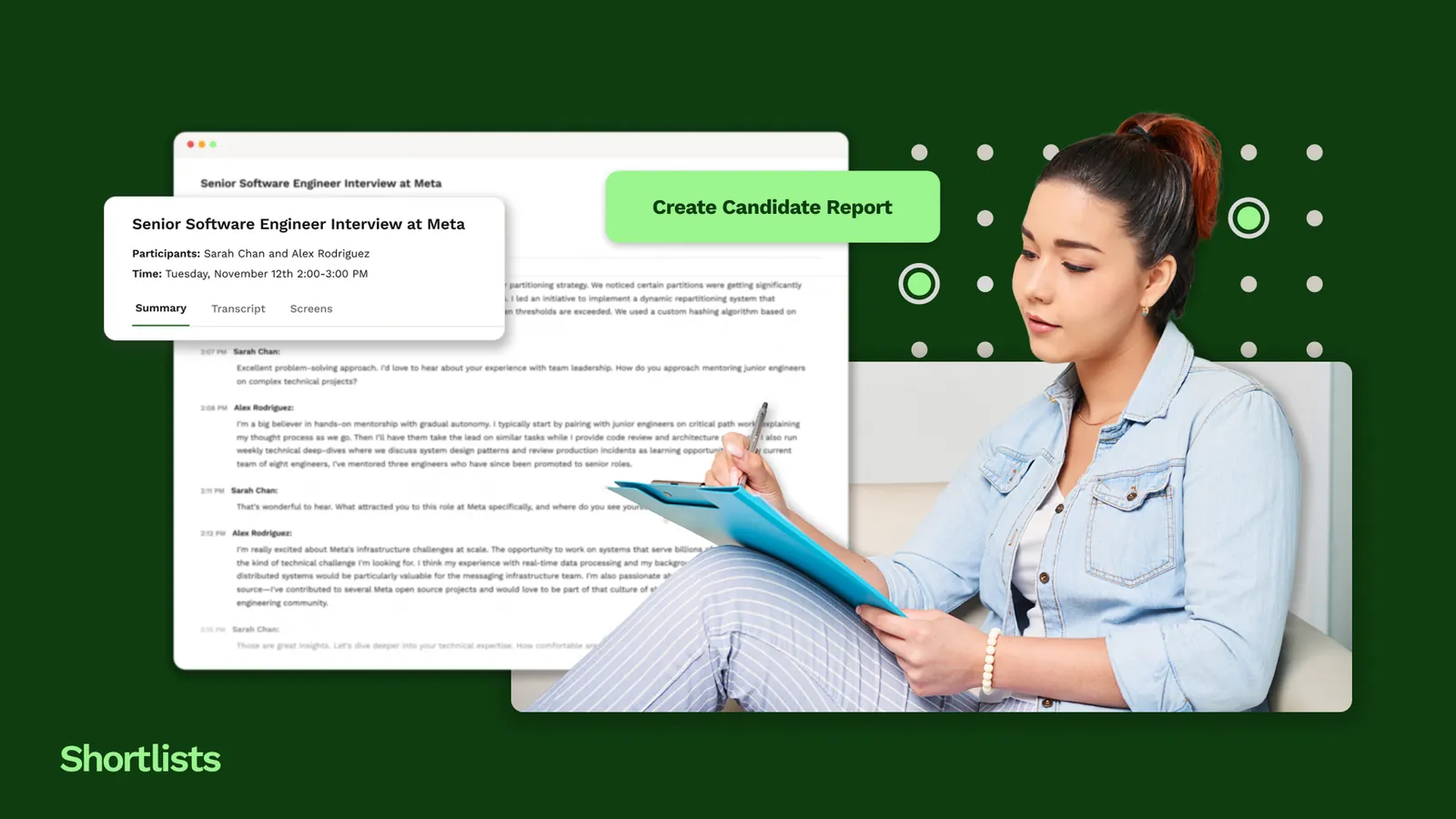
AI interview notetakers help recruiters eliminate one of the biggest hidden costs in recruitment: the manual admin that follows every candidate or client call. Instead of spending 15 to 20 minutes writing notes, updating the CRM, drafting follow-up emails and recording key details, recruiters can use AI to automatically transcribe conversations, extract important information and prepare next steps within minutes. For small UK recruitment agencies, this means more time for business development, candidate relationships and placements rather than administrative work.
Key Takeaways
- AI interview notetakers automatically record, transcribe and summarise recruitment calls.
- They extract key information such as candidate skills, salary expectations, notice period, availability and agreed next steps.
- AI-generated summaries can automatically update CRM records, eliminating manual data entry.
- Follow-up emails can be drafted automatically before the call has even finished.
- Recruiters still make all hiring decisions, assess candidate suitability and build client relationships. AI only supports the administrative workload.
- Modern AI notetakers work with platforms such as Zoom, Microsoft Teams and Google Meet without requiring candidates to install additional software.
- A good recruitment AI tool combines transcription with structured data extraction instead of simply producing a call transcript.
- Direct CRM integration is essential to avoid duplicate work and disconnected systems.
- Agencies should prioritise UK GDPR compliance by informing candidates that calls are recorded, understanding where data is stored and choosing vendors with appropriate security standards such as EU or UK hosting and SOC 2 certification.
The 20 minutes that follow every call
A solid call ends. The candidate is strong, the brief is clear, the next step is agreed. Now the clock starts on something else entirely.
You open the CRM, try to remember the exact salary figure mentioned at the 12-minute mark, piece together a follow-up email from notes you half-took while also listening, and look up the hiring manager's direct line so you can actually use it this week.
Twenty minutes. Per call. Across a full desk of five recruiters running ten calls each, that is more than 16 hours of admin a day. Not on recruiting. On recording what recruiting just happened.
It is the most expensive invisible cost in a 3-to-10 seat agency. It shows up not as a line on the P&L but as the calls that did not happen because the previous ones took too long to close out.
The AI notetaker does not change the call. It changes what the call costs you afterwards.
How an AI interview notetaker works: four steps
The tools differ in quality and integration depth, but the core sequence is the same across all of them.
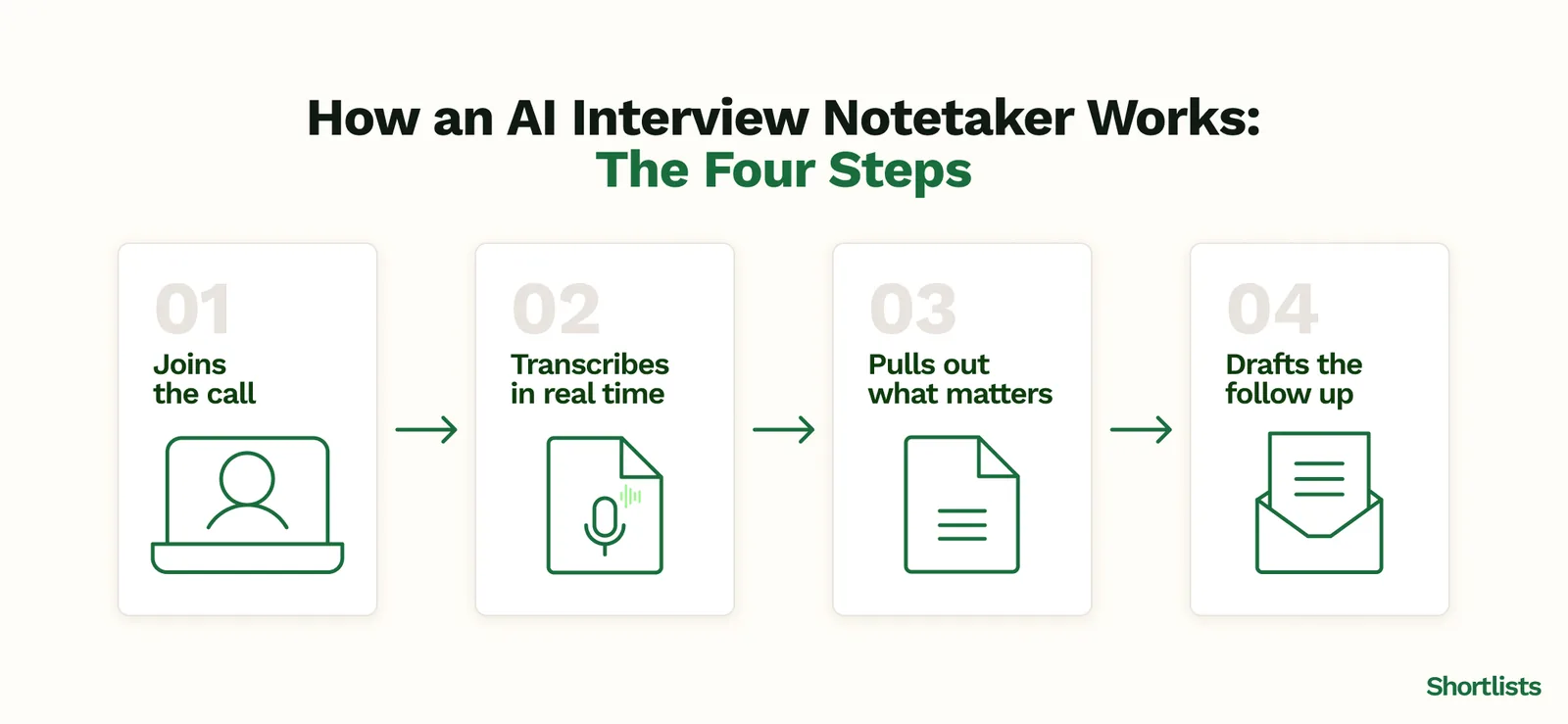
Step 1: It joins the call
The notetaker arrives as a participant in the meeting, invited by you, visible to everyone in the room. It does not require the candidate or client to download anything. You run the call exactly as you always have.
The only change at this stage: you tell the other person at the start that the call is being recorded for note-taking purposes. That sentence is not optional under UK GDPR — it is the minimum consent notice required before any automated processing of the conversation begins. More on this in the compliance section below.
Step 2: It transcribes in real time
As the call runs, the AI processes the audio continuously. It handles cross-talk, different accents, interruptions, and the way people actually speak in interviews rather than the way they speak in presentations.
The output is a time-stamped, searchable transcript. Not a voice memo you will get round to later. A structured record that is queryable the moment the call ends.
Step 3: It pulls out what matters
This is where the difference between a transcription tool and an actual notetaker becomes clear.
A transcription tool gives you the full conversation. A notetaker reads it and extracts: the candidate's core skills as stated, their current and target salary, their availability and notice period, any commitments made by either party, and any flags worth remembering. It structures these into the candidate record automatically.
The CRM update — the part that took 10 minutes to do manually — writes itself.
Step 4: It drafts the follow-up
Before you hang up, the draft follow-up is already waiting. It pulls the candidate's name, the key points agreed, the next step, and your standard sign-off. You read it, adjust anything that needs adjusting, and send.
The call took 30 minutes. The admin took 3.
What an AI notetaker does not do
Worth being direct about this, because the marketing around AI tools is not always.
An AI notetaker does not tell you whether the candidate is right for the role. It transcribes what they said about their experience. Whether that experience actually fits the culture, whether the hiring manager will like them, whether their stated skills hold up — none of that is in the transcript.
It does not pick up what was not said. The hesitation before a salary question. The way someone answered a question about leaving their last role. The energy in the room. Those things are still yours to read.
And it does not run the conversation. The quality of the interview — the questions you asked, the rapport you built, the moment you decided to push back on an answer — that is entirely the recruiter's work. The notetaker records the output. It does not improve the input.
This matters because recruiting is a craft. Understanding what a founder actually needs in their next hire, and then finding and convincing that person, is not a transcription problem. The notetaker handles the admin around the craft. The craft stays with the recruiter.
The UK GDPR question every agency must answer first
Before putting any AI notetaker on your calls, there are two things a 3-to-10 seat UK agency needs to get right.
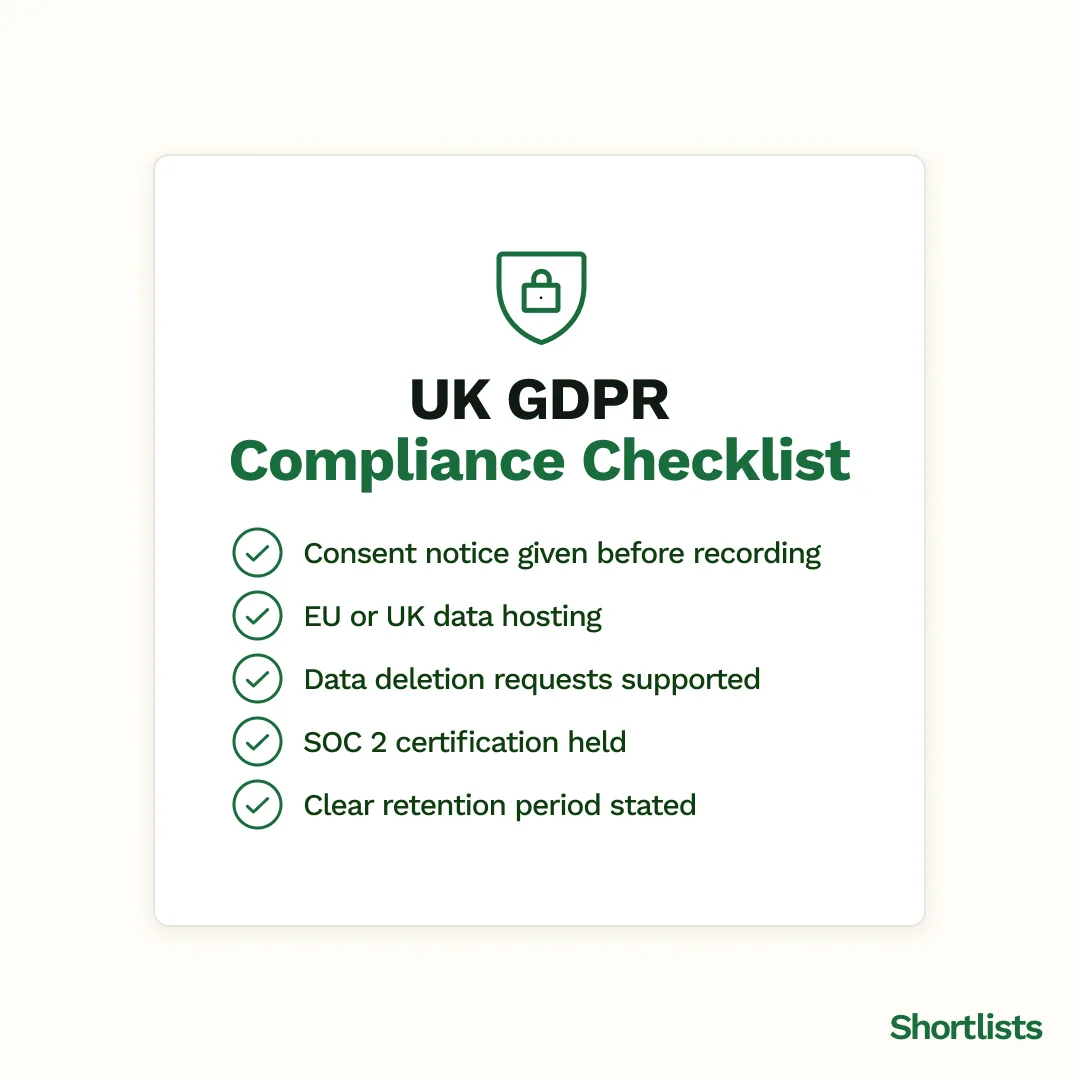
Consent before recording. Under UK GDPR, recording a call without informing the other party is almost certainly a breach. The practical standard is to tell every candidate and client at the start of the call, clearly and in plain language, that the call is being recorded for note-taking. Many agencies add it to their standard booking confirmations as well. It does not need to be a lengthy disclaimer — it needs to be said.
Where the data goes. The transcript and notes contain personal data: the candidate's name, salary, contact details and career history. Under UK GDPR, you need to know where that data is held, for how long, and whether it leaves the UK or EEA. A tool that stores transcripts on servers in the United States without a data-transfer agreement in place creates a compliance risk that a 3-to-10 seat agency does not need.
Look for tools that are EU or UK-hosted, that support data deletion requests, and that hold SOC 2 certification. If a vendor cannot answer these questions quickly and specifically, that is an answer of its own.
This is not legal advice — it is the minimum due diligence every UK agency should do before the first call goes through any AI recording tool.
What to look for in an AI notetaker for a 3-to-10 seat UK agency
The market has a lot of notetakers. Most are built for internal business meetings, not for the specific structure of a recruitment call. Here is what separates the ones worth using.
CRM integration that actually works. If the notetaker drops a transcript into a separate inbox and you copy-paste it into your CRM, you have not saved admin — you have just moved it. A notetaker that syncs directly to your candidate and client records, without a manual step, is the only version worth paying for. Check that the integration writes to the fields you actually use, not just to a notes text field nobody reads.
Extraction, not just transcription. The test is simple: does the tool produce a structured candidate summary — skills, salary, availability, next steps — or does it give you the full transcript and leave the extraction to you? The second option is better than a voice memo. It is not meaningfully better than taking your own notes.
Built in, not bolted on. A notetaker sold as a separate add-on — standalone recruiter notetakers run $39 to $99 per user a month on top of an existing CRM subscription — does not solve the core problem. It adds another tool to the stack, another login, another bill, and another place where data does not quite sync with everything else. The frankenstack is already costing 3-to-10 seat agencies $324 to $976 a month combined — adding another piece to it is the wrong direction.
UK GDPR compliance baked in, not documented as an afterthought. EU or UK data hosting, a clear consent workflow, data deletion support, SOC 2 certification. Ask for these before you sign up, not after the first awkward candidate question about where their data went.
How Shortlists handles this
Shortlists is a recruiting CRM built for 3-to-10 seat UK agencies. The AI notetaker is included at the base price, not a paid add-on or a higher-tier unlock.
It joins Zoom, Teams and Google Meet calls. It transcribes in real time, pulls skills, salary, availability and commitments into the candidate record, and drafts the follow-up before the call ends. The update appears in the CRM immediately — no copy-paste, no separate inbox step, no manual field-filling.
On compliance: Shortlists is SOC 2 certified, GDPR-compliant, and EU-hosted in Stockholm. The data stays in Europe. It is exportable at any time. (See the database and enrichment features for the full data handling detail.)
The notetaker sits inside a broader system that also handles contact enrichment, mail merge, a client portal, and a revenue dashboard. The reason that matters: the notes do not live in a silo. A candidate from a call this morning becomes a profile in the pipeline this afternoon, enriched and ready to pitch. (See the pipeline overview and the BD Radar feature for how those connect.)
No annual contract. Free, fully managed migration. Most migrations take 2–3 weeks end to end. Migrating from another CRM? Talk to us first.
Frequently asked questions
What is an AI interview notetaker for recruiters?
An AI interview notetaker is software that joins a recruiter's video call, transcribes the conversation in real time, extracts the key information — candidate skills, salary, availability and commitments — and drafts the follow-up automatically. It does not replace the recruiter's judgment; it removes the admin that follows every call so the recruiter can move to the next one faster.
Do I need to tell candidates the call is being recorded?
Yes. Under UK GDPR, recording a call and processing the content through any automated tool requires the other party to be informed. The standard approach is a clear, verbal notification at the start of the call: "This call is being recorded for note-taking purposes." Many agencies also include it in their pre-call booking confirmation. If in doubt, get advice from your data protection officer or legal team — this is not optional.
Will an AI notetaker work on Zoom, Teams and Google Meet?
Good AI notetakers for recruiters integrate with all three. The notetaker joins as a named participant, visible to everyone in the call. The candidate or client does not need to download anything or do anything differently. Check the integration list before choosing a tool — some notetakers work only on one or two video platforms.
Is an AI notetaker compliant with UK GDPR?
It depends on the tool. Check for: EU or UK data hosting, a clear record of where call data is stored and for how long, support for candidate data deletion requests, and SOC 2 certification. A tool that stores transcripts on US servers without a data-transfer agreement in place creates compliance risk. Ask these questions before the first call goes through any recording tool.
How is an AI notetaker different from just recording the call?
Recording gives you a file to play back. An AI notetaker gives you structured data — skills, salary, availability, next steps — extracted automatically and written into your CRM without a manual step. A recording still requires a human to listen, interpret and write. The notetaker does the interpretation and the writing for you, in the time it takes you to move from one call to the next.
Is an AI notetaker a separate tool I need to buy?
It depends on the recruiting CRM you use. Some incumbents sell it as a paid add-on — a common pattern is a standalone notetaker at $39 to $99 per user a month, bolted on top of a base subscription. Shortlists includes the AI notetaker in the base price, with no separate purchase required. If you are currently paying for a standalone notetaker on top of a CRM subscription, that is one line you can probably cut.
Next steps
If your agency is spending 15 to 20 minutes on admin after every call, the notetaker is the fastest admin reduction available right now. No retraining your team, no changing how you run calls, no new process to enforce.
Shortlists is built for 3-to-10 seat UK agencies. No demo required to see how the notetaker works — and if you are mid-contract on another tool, book a migration call and we will map out a clean switch.
- Run your numbers
- Mid-contract? Book a migration call
- See how it fits the full stack: BD Radar and pre-job-post intelligence