What Is a Recruiting CRM and Why Do Small UK Agencies Need One?
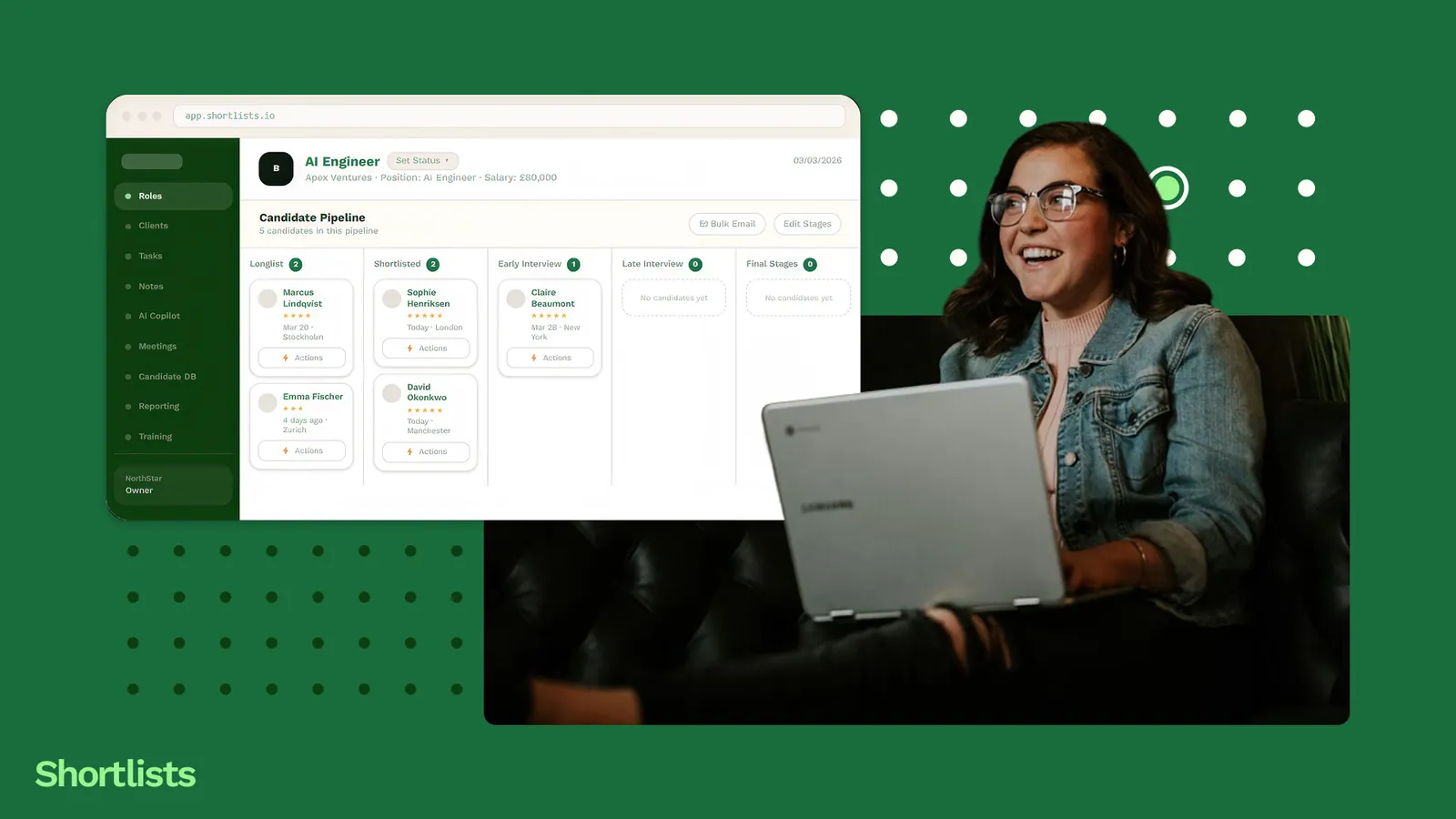
A recruiting CRM is software that manages the three core relationships in an agency: clients who brief you on roles, candidates you place, and the live jobs that connect them. Unlike a general sales CRM, it's built around the recruitment workflow — candidate pipelines, placement tracking, BD activity, and billing visibility in one place.
Most UK recruitment agencies under ten people are run on spreadsheets. That's not a criticism. A well-kept spreadsheet is fast, free, and does the job for a long time. The problem is that nobody can tell you when it stops doing the job, because the failure is quiet: a candidate you forgot was available, a client brief that went cold while you were heads-down on another role, a follow-up that slipped because it lived in your head and your head was full.
Part of the confusion is the word itself. "CRM" gets used to mean five different things, and most of the explainers you'll find are written for enterprise HR teams or B2B sales floors, not for someone running a three-desk agency out of a serviced office in Leeds. So before you can decide whether you need one, it helps to know what a recruiting CRM actually is — and, just as importantly, what it isn't.
This piece covers what a recruiting CRM is in plain English, the four jobs it does that a spreadsheet eventually can't, the point at which most small agencies outgrow their spreadsheet, and what to look for if you decide it's time. No demo required.
What a recruiting CRM actually is
"Customer" means two things in recruiting
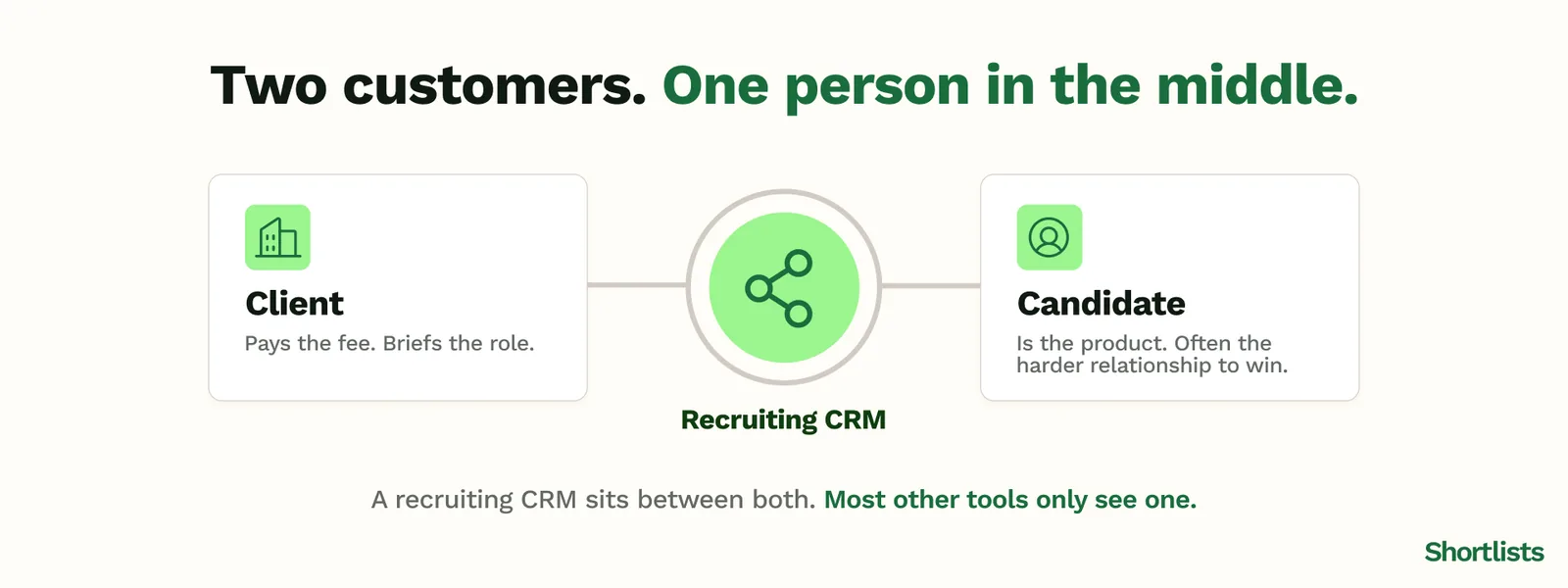
CRM stands for customer relationship management. In most industries, the customer is one party: the person you're selling to. Recruitment is different. You have two customers who need each other, and your job is to sit in the middle. The client pays the fee. The candidate is the product and, often, the harder relationship to win. A recruiting CRM is built around that double-sided reality, which is why a tool designed for one-directional sales rarely fits.
How it differs from a general sales CRM
Salesforce and HubSpot are excellent at what they do, which is track a prospect from first touch to closed deal. Drop a recruitment desk into one and you'll quickly hit the seams. There's no natural home for a candidate who isn't a "lead" in any normal sense, no concept of a placement, no link between the role you're working and the people you're working it with. Agencies that say "we use HubSpot as our CRM" almost always mean "we track clients in HubSpot and candidates somewhere else." That somewhere else is usually the spreadsheet.
How it differs from a pure ATS
An applicant tracking system manages candidates and applications: who applied, what stage they're at, where their CV sits. It's the candidate half of the picture. A recruiting CRM includes that, but it also holds the client relationship, the BD activity, and the commercial view. The distinction matters when you're evaluating tools, because plenty of products marketed as recruitment software are really just an ATS with a contacts list bolted on the side.
The four jobs a recruiting CRM does
1. Client pipeline
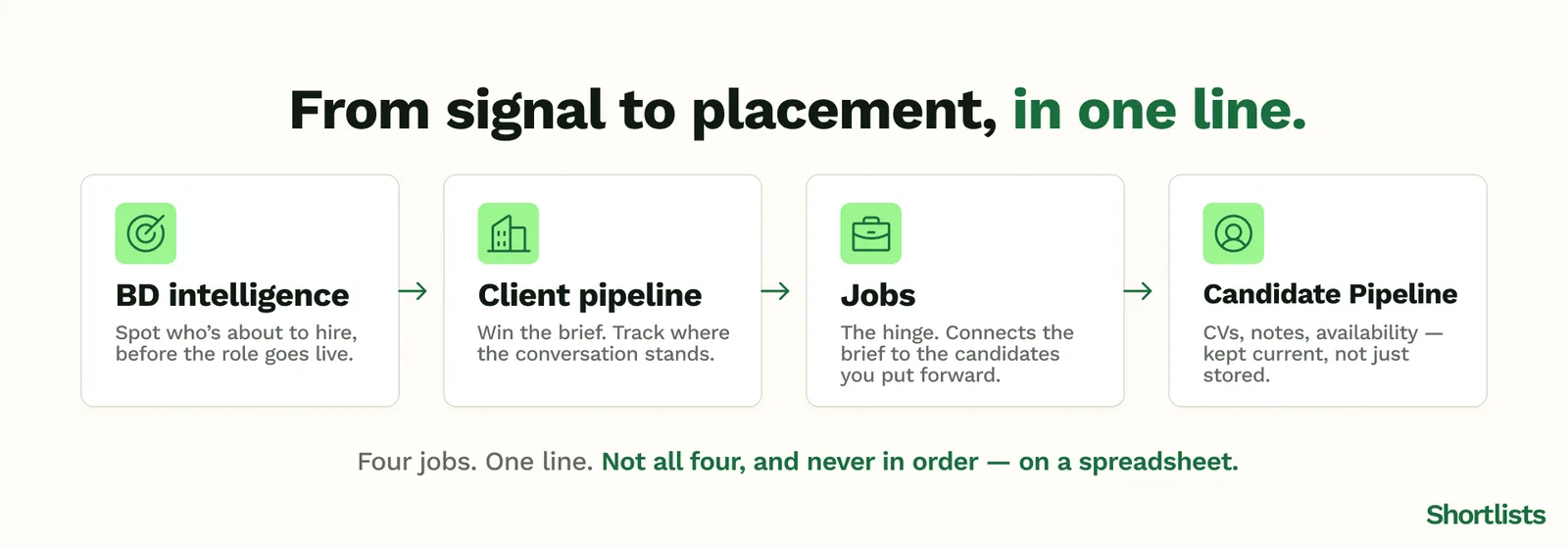
This is your business development and your live briefs in one view: who you've spoken to, what they're hiring for, where each relationship stands, and which conversations need a nudge this week. It's the half of the agency that a pure ATS ignores and the half that actually generates fees.
2. Candidate pipeline
CVs, contact details, interview notes, availability, salary expectations, and placement history — held against each candidate and, crucially, kept current. The value isn't storage. It's recall: being able to surface the right person for a brief that lands on Tuesday because you logged a conversation properly three months ago.
3. Jobs
The live roles are the hinge between the other two pipelines. A job connects a client brief to the candidates you're putting forward, so you can see at a glance which roles are moving, which are stalling, and what each one is worth if it lands.
4. BD intelligence
The newest of the four, and the one spreadsheets can't touch. This is knowing who's likely to be hiring before the role is posted — a funding round, a senior leaver, a VP joining and building a team. Getting to a hiring manager before the job goes live is the difference between being the first call and being the thirteenth. It's the core of how a proactive agency wins work, and it's covered in depth in the BD Radar guide.
When a spreadsheet stops working
There's no universal line, but there are reliable warning signs. The first is people: the moment a second person needs to work from the same data, you get the version-of-truth problem. Who updated this row last? Is this the current CV? Did anyone follow up with that client, or did we both assume the other one had?
The second is volume. Somewhere around three or more active clients and fifty-plus candidates you're managing, the spreadsheet shifts from a tool that saves time to one that costs it. You spend more of your week maintaining the system than working the desk.
The third, and the most expensive, is the one you never see on the spreadsheet: the missed placement. The candidate who was perfect for a role but wasn't surfaced because their record was three tabs away and out of date. That cost doesn't show up as a line item. It shows up as a fee a competitor billed instead of you.
Agencies we speak to often describe the same inflection point: somewhere past roughly £300k in annual billings, or when the second desk comes on, the cracks stop being occasional and start being structural. \
What to look for in a recruiting CRM as a small UK agency
If you decide it's time, the evaluation is where small agencies most often get sold the wrong thing. A few things matter more than the feature count.
All-in-one versus a multi-tool stack. Running a separate ATS, a separate BD tool, a separate notetaker, and a separate outreach app is the "frankenstack" — more subscriptions, more logins, and gaps where data has to be copied across by hand. For a small team, one connected platform usually beats five clever ones. We look at the true cost of that in the recruitment frankenstack breakdown.
Monthly billing, not a locked annual contract. Small-agency cash flow doesn't suit a twelve-month commitment to software you haven't lived with yet.
Data residency and UK GDPR. Candidate data is personal data under UK GDPR. You want to know where it's hosted and that the processing terms are sound before you load a single CV.
AI as standard, not a paid add-on. If candidate matching or a notetaker costs extra on top of the licence, that's usually a sign the AI was bolted on later rather than built in. More on that distinction in the AI recruitment software guide.
Migration support. If you're moving off an existing platform, the question of who moves your data — and how long you're down for — should have a clear answer before you commit.
Frequently asked questions
What is a recruiting CRM?
A recruiting CRM is software that manages the three core relationships in an agency: clients who brief you on roles, candidates you place, and the jobs that connect them. Unlike a general CRM, it's built around the recruitment workflow — candidate pipelines, placement tracking, BD activity, and commercial visibility in one place rather than spread across spreadsheets and separate tools.
Do I need both an ATS and a CRM for my recruitment agency?
Not if you choose an all-in-one recruiting platform. A modern recruiting CRM combines ATS (applicant tracking) and CRM (client relationship) functionality in a single tool. Separate ATS and CRM setups make sense at enterprise scale; for a 3-to-10 person UK agency they usually create more admin, not less, because data has to be kept in step across two systems.
What is the best recruiting CRM for small agencies in the UK?
The best recruiting CRM for a small UK agency combines client pipeline, candidate pipeline, BD intelligence, and AI features on a monthly contract with pricing in pounds. Shortlists is purpose-built for 3-to-10 seat UK agencies. Bullhorn and Vincere are capable platforms but are aimed at larger operations with bigger budgets and longer commitments.
What does a recruiting CRM cost per user in the UK?
Legacy platforms such as Bullhorn and Vincere typically run from around £80 to £150-plus per user per month, often on annual contracts, with AI features charged separately. Shortlists is £79 per user per month with no annual contract required and AI included as standard. \
Can a small recruitment agency run on a spreadsheet instead of a CRM?
Yes, until you can't. Spreadsheets work well up to roughly two or three active clients and thirty to fifty candidates. Beyond that, the version-of-truth problem (who updated this last?) and the cost of missed opportunities (a candidate you forgot was available) usually outweigh the setup effort of a proper CRM.
How Shortlists approaches this
Shortlists is a recruiting CRM and ATS built specifically for 3-to-10 seat UK agencies. It holds all four jobs in one place — client pipeline, candidate pipeline, live jobs, and BD intelligence through BD Radar — so you're not stitching together a spreadsheet, an ATS, and three other tools to see one picture. The revenue dashboard keeps billing visibility current in the same view.
It's £79 per user per month, with AI included as standard and no annual contract required. Migration from your current setup is handled directly, not dropped into an onboarding queue. The point isn't to give a five-person agency enterprise software with the volume turned down. It's to give you the version of the spreadsheet you already trust, with the four jobs it can't do added back in.
Next steps
Read: Recruiting CRM for Small UK Agencies: The Complete Guide (2026) — the full pillar guide this piece sits under.
Read: What Features Should a 3-10 Person UK Recruitment Agency Look For in a CRM? — the demo checklist for when you're ready to evaluate.
Read: How a Recruiting CRM Manages Clients, Candidates and Pipeline in One Place — what the connected view looks like in practice.
Explore: Switch to Shortlists — Free Migration for UK Recruitment Agencies — see what moving off your current platform actually looks like.
Read: Growing a Small UK Recruitment Agency in 2026: The Founder's Guide — the broader agency growth context.
Compare: Shortlists vs Loxo — how Shortlists compares for small UK agencies.
Feature: Pipeline view — clients, candidates and jobs in one connected view.